Best Laptop in Pakistan (2026): Price Guide & Buying Tips
Introduction
Finding the best laptop in Pakistan in 2026 is less about chasing the most expensive machine and more about matching the machine to the work you actually do. A student writing assignments in Lahore, a freelancer editing documents in Karachi, and a small business owner managing accounts in Islamabad all need different things, even though all three will type “best laptop” into the same search box. Prices, availability and after-sales support also vary a lot across the country, so a good buying decision starts with your budget and your daily tasks, not with a specification sheet.
The good news is that buyers in Pakistan now have more choice than ever. Official brand stores, large online marketplaces such as Daraz, and trusted computer markets in major cities all stock a wide range of machines, from basic everyday laptops to powerful workstations. The challenge is sorting the genuine value from the marketing. A laptop that looks like a bargain can turn into a headache if it has a weak battery, a dim screen, or no local warranty support.
This guide keeps things practical. It walks through the main types of laptops you will find in Pakistani shops and gives honest pros and cons for each, along with realistic price ranges in rupees so you can plan your purchase.
Quick Picks
- Best for students on a tight budget: A basic everyday laptop with a solid-state drive, 8 GB of memory and a comfortable keyboard — enough for classes, assignments and video calls.
- Best for office and freelance work: A mid-range machine with a bright screen, a full day of light-use battery life and a reliable warranty from an official seller.
- Best for creators and heavy multitaskers: A higher-end laptop with a faster processor, more memory and a colour-accurate screen for photo work, video editing and large spreadsheets.
- Best for travel and daily carry: A light, slim laptop with strong battery life that fits easily in a backpack and survives daily commuting.
- Best value overall: A mid-range laptop bought during a sale from an authorised seller, with warranty papers and a genuine charger in the box.
Everyday Budget Laptops
Everyday budget laptops are the most common machines sold in Pakistan, and for good reason. They handle web browsing, online classes, Microsoft Office work, YouTube and video calls without trouble. Most come with a solid-state drive now, which makes them feel quick when starting up and opening programs, even if the processor is modest. For a household’s first laptop or a child’s schoolwork, this category is often all you need.
The trade-off is headroom. A budget laptop can slow down when you open twenty browser tabs, run a video call and edit a large document at the same time. Screens in this range are usually adequate rather than impressive, and build quality tends to be plastic and plain. That is fine for desk use at home, but less ideal if the laptop will travel every day in a crowded bag.
- Pros: Lowest prices, enough power for study and office basics, widely available in every major city.
- Cons: Limited multitasking power, average screens and speakers, shorter useful life if your workload grows.
Student Laptops
Student laptops sit a step above the basic tier. The difference is usually a better processor, 8 GB or more of memory, and a lighter body that is easier to carry between home, university and hostel. Battery life matters more here than raw speed, because lecture halls and libraries do not always have a free power socket nearby. A laptop that lasts through a morning of classes without hunting for a charger is worth real money to a student.
Students should also think about the keyboard and the screen. You will type thousands of words on this machine, so a cramped or mushy keyboard gets tiring fast. A screen that stays readable in a bright room helps during daytime study sessions.
- Pros: Good balance of price, weight and battery life; handles study plus light freelance work.
- Cons: Not suited to heavy video editing or modern gaming; mid-range models still cost a noticeable amount.
Office and Business Laptops
Office and business laptops are built for people who work on their machine all day. The priorities shift from flashy specifications to reliability: a sturdy hinge, a keyboard that stays comfortable after hours of typing, a screen that does not strain the eyes, and a battery that holds up over years of daily charging. Business models often include better warranty terms and service-centre support, which matters a lot when your income depends on the machine.
For shop owners, accountants, teachers and remote workers, a mid-range business laptop is usually the smartest spend. It runs accounting software, billing tools, video meetings and large documents smoothly, and it keeps doing so for years.
- Pros: Reliable for daily professional use, comfortable for long typing sessions, stronger warranty and service support.
- Cons: Plain looks, higher prices than consumer models with similar raw speed, fewer entertainment-focused features.
Creator and Multitasking Laptops
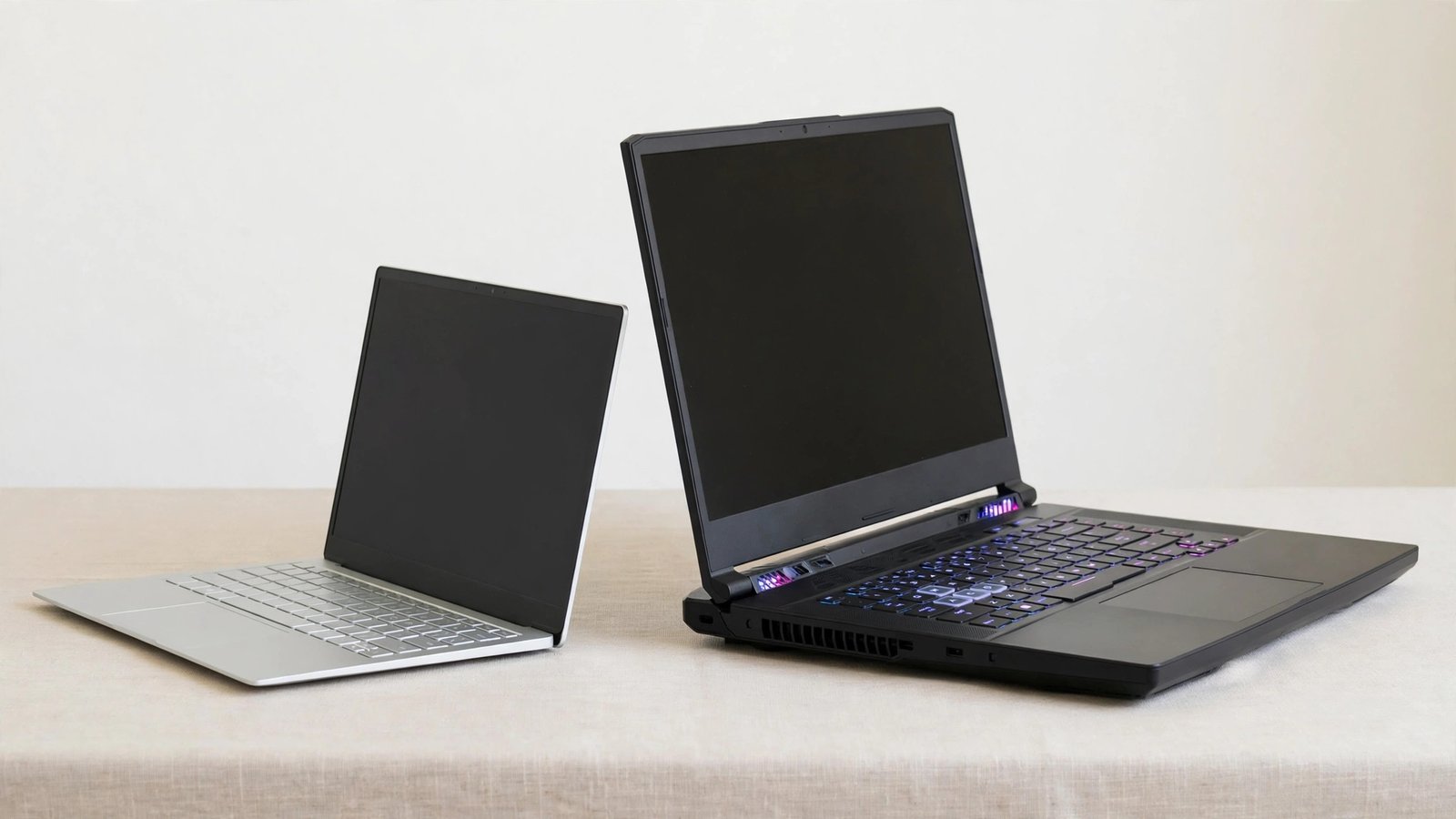
If you edit photos, cut videos, design graphics or run data-heavy spreadsheets, a creator-grade laptop earns its price. These machines pair a faster processor with more memory and a better screen, so rendering a video or exporting a large design file takes minutes instead of an afternoon. A screen with accurate colours also means the photo you edit is the photo your client actually sees.
The cost is weight, heat and battery life. Powerful laptops run warmer, need bigger chargers, and rarely last a full day away from a socket. They are also the category where Pakistani buyers should be most careful about sellers: check that the warranty is local, that the charger is genuine and rated for Pakistani voltage, and that spare parts are available. A powerful machine with no service backup is a risky purchase.
- Pros: Fast rendering and editing, strong multitasking, screens suited to visual work.
- Cons: Heavier and warmer, shorter battery life, highest prices in this guide.
Slim and Portable Ultrabooks
Slim ultraportable laptops are for buyers who carry their laptop everywhere. Weighing close to a kilogram, they slip into a small bag and barely register on a long commute. Battery life is the headline feature: many easily manage a full working day of browsing, documents and calls. For executives, journalists, teachers and students who move between locations, that freedom is the whole point.
The compromise is upgradeability and ports. Slim machines often have memory soldered in place and only one or two ports, so what you buy is what you keep. They can also cost more than a heavier laptop with the same speed, because you are paying for the engineering that makes them thin and light. Buy the memory and storage you will need for three years, not just for today.
- Pros: Very light, excellent battery life, ideal for travel and commuting.
- Cons: Limited ports and upgrades, premium prices, repairs can be costlier.
Price Guide: What Laptops Cost in Pakistan
Prices for laptops in Pakistan typically range from around Rs 45,000 to Rs 250,000 (check the seller for the current price). At the lower end, roughly Rs 45,000 to Rs 90,000, you will find basic everyday laptops that cover study, browsing and office documents. The middle band, around Rs 90,000 to Rs 160,000, is where most buyers find the best balance: faster processors, better screens and stronger build quality. Above Rs 160,000 sit creator machines, premium ultrabooks and high-performance models that push toward Rs 250,000.
Three factors move prices more than anything else: the dollar exchange rate, import duties, and whether the seller is an authorised dealer. Grey-market imports can look cheaper, but they often lack a valid local warranty, which can cost far more later. If you use instalments, read the total cost carefully, including any markup, rather than focusing only on the monthly figure.
Buying Tips for Pakistani Buyers

Start by listing the five programs you use most, then buy for those, not for a specification you will never use. A student who mainly writes assignments and attends online classes does not need a creator machine, and a video editor should not try to save money on a basic model that will struggle daily.
Check the warranty in writing. Ask whether it is an official Pakistan warranty, how long it lasts, and which service centre handles repairs. Keep the box, the receipt and the warranty card together, and test the laptop thoroughly in the first week: keyboard, screen, battery, Wi-Fi and all ports. Problems found early are far easier to resolve.
Battery claims deserve scepticism. A manufacturer figure measured in a lab rarely matches real use in Pakistan, especially with load-shedding forcing more battery-only work. Real-world battery life is usually shorter than the advertised number, so read local user reviews and ask the seller for an honest estimate. Also confirm the charger is genuine and matches the laptop, since a poor-quality charger can damage the battery over time.
Finally, buy storage and memory with the future in mind. A solid-state drive is now essential, not a luxury — it is the single upgrade that makes the biggest everyday difference. If the model you like allows memory or storage upgrades later, that flexibility adds real value.
Frequently Asked Questions
How much should a student spend on a laptop in Pakistan?
For most students, the middle of the budget range is the sweet spot: enough for classes, assignments, research and video calls, with room for part-time freelance work. Spending the minimum is fine if money is tight, but try not to go below a machine with a solid-state drive and 8 GB of memory, or the laptop may feel slow within a year.
Is it better to buy from Daraz, an official store, or a computer market?
Each channel has a place. Official stores give the strongest warranty assurance. Large online marketplaces offer convenience, buyer protection and frequent sales. Computer markets can give good prices and hands-on advice, but you must verify the seller’s reputation and warranty terms yourself. Wherever you buy, keep the receipt and confirm the warranty before paying.
Do I need a high-end laptop for online classes and office work?
No. Online classes, documents, spreadsheets, email and video calls run well on a mid-range laptop. High-end machines are for video editing, design, programming with heavy tools, and gaming. Spending extra on power you will not use is money that could go toward a better screen, more storage or a longer warranty.
How do I protect my laptop during load-shedding?
Use a genuine charger and, where possible, a surge protector or UPS for charging. Avoid letting the battery drain to zero every day, and do not leave the laptop charging on a hot surface during long power cuts and restorations. Save your work often, and keep backups on an external drive or cloud storage so a sudden shutdown never costs you a document.
Should I buy a laptop on instalments?
Instalments can make a good laptop affordable, but only if the total cost is clear. Compare the full amount you will pay, including any markup or fees, against the cash price. If the difference is small and the monthly payment fits your budget comfortably, instalments are reasonable. If the markup is large, saving for a few more months is usually wiser.
Conclusion
The best laptop in Pakistan is the one that fits your work, your budget and your daily routine — not the one with the longest specification list. Set your budget using the ranges in this guide, pick the category that matches your real workload, and buy from a seller who stands behind the warranty. A careful purchase today gives you a reliable machine for years of study, work and everyday use.
For more buying guides on trending products across Pakistan, visit the product feed at https://trendz.pk/, where new guides and trending picks are added regularly.