Best Printer in Pakistan (2026): Price Guide & Buying Tips
Finding the best printer in Pakistan in 2026 is less about chasing the most expensive model and more about matching the machine to how much you actually print. A student printing a few assignments a week needs something very different from a small office that runs through reams of paper every month. Prices for printers in Pakistan are typically around Rs 15,000–60,000 (check the seller for the current price), and within that range you can find a solid option for almost every budget and use case.
This guide covers the main printer types available in Pakistan, what each one does well, what it costs to run, and the mistakes to avoid before you buy — with honest pros and cons, a price guide and practical buying tips for Pakistani homes, students and small offices.
Quick Picks
- Budget pick: A basic inkjet printer for occasional printing at home — cheap to buy, simple to set up, fine for a few pages a week.
- Student pick: An ink-tank printer with very low running costs — ideal for assignments, notes and past papers printed in bulk.
- Home-office pick: A Wi-Fi all-in-one printer with scanning and copying — print from your phone or laptop without cables.
- Photo pick: A dedicated photo printer for sharp, true-to-life prints of family photos and portfolios.
- Small-business pick: A monochrome laser printer built for speed and heavy daily black-and-white printing.
Budget Inkjet Printer
A budget inkjet printer is the cheapest way to start printing at home. It handles school worksheets, job applications, bill copies and the odd colour print. Setup is simple, and most models work straight out of the box.
The main trade-off is running cost. Cartridges hold limited ink, so heavy printing gets expensive per page. They can dry out if the printer sits unused for weeks. Keep the printer covered when it is not in use, since dust can clog nozzles.
Print quality on plain paper is good for text and acceptable for colour charts. Photos on plain paper look flat, so do not expect studio-quality results. If you mostly print black-and-white text with the odd colour page, a budget inkjet will serve you well.
Before buying, check the price of replacement cartridges in your city. A cheap printer can turn expensive if its cartridges are rare or overpriced. Ask the seller about warranty coverage and local repairs.
- Pros: Lowest upfront price; simple setup; good for occasional home printing; compact size.
- Cons: High cost per page; cartridges can dry out if unused; slower than laser printers.
Budget inkjet printers are typically around Rs 15,000–25,000 (check the seller for the current price).
Ink-Tank Printer
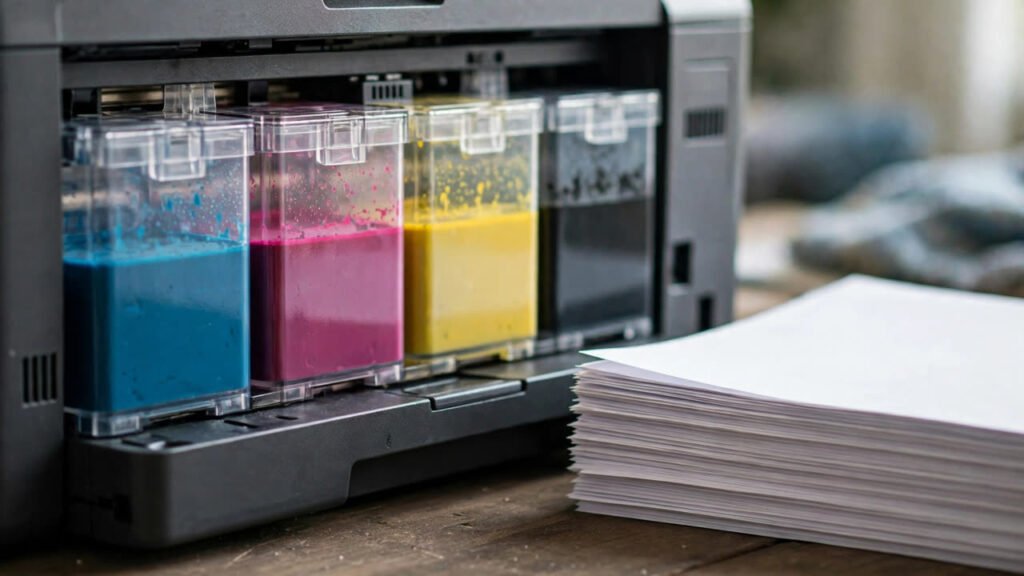
An ink-tank printer replaces small cartridges with large refillable ink tanks, making it a smart choice for heavy printing. Instead of a new cartridge every few hundred pages, you top up tanks with ink bottles that last for thousands of pages.
The upfront price is higher than a budget inkjet, but the running cost is far lower. One set of ink bottles can often print several thousand black-and-white pages, keeping the cost per page down to a fraction of a rupee.
These printers suit regular use. Print every few days and the ink stays flowing and the nozzles stay clear. If the printer sits unused for a month, it can clog, so it is best for households that print at least weekly.
When comparing models, check the pages each ink bottle is rated for and the price of genuine refill bottles. Cheap third-party ink can damage the print head and void the warranty.
- Pros: Very low cost per page; thousands of pages per ink set; good for students and heavy home use; Wi-Fi on most models.
- Cons: Higher upfront price; needs regular use to avoid clogging; refill bottles must be genuine to protect warranty.
Ink-tank printers are typically around Rs 30,000–55,000 (check the seller for the current price).
Monochrome Laser Printer
A monochrome laser printer prints black-and-white text fast, and it is the workhorse of small offices across Pakistan. It uses toner instead of liquid ink, so nothing dries out during a holiday break. Switch it on after weeks of rest and it prints in seconds, with sharp, smudge-free text.
Speed is the main strength here. Laser printers handle large documents and reports without slowing down, and one toner cartridge can last for well over a thousand pages. For offices printing mostly text, the cost per page is low and predictable.
The obvious limit is colour: a monochrome laser printer cannot print colour at all. If you need colour charts or photos, you will need a different type of printer. These printers are also heavier and noisier than inkjets, so they suit an office corner better than a bedroom desk.
Toner is a dry powder sealed inside a cartridge, so laser printers cope well with dust. Still, keep the paper tray closed and use clean, dry paper, since damp paper causes jams.
- Pros: Fast printing; sharp black-and-white text; toner never dries out; low cost per page for text-heavy work.
- Cons: No colour printing; heavier and noisier than inkjets; higher upfront price than budget models.
Monochrome laser printers are typically around Rs 30,000–60,000 (check the seller for the current price).
All-in-One Printer with Wi-Fi
An all-in-one printer with Wi-Fi combines printing, scanning and copying in one machine, and it is the most practical choice for a modern home or small office. You can print from a laptop, phone or tablet without a cable, and scanning CNIC copies and certificates becomes a quick job instead of a trip to a print shop.
Mobile printing is the feature that changes daily use the most. Students can send an assignment from their phone, and office staff can print from a laptop in another room. Most brands offer a free mobile app that also shows ink levels.
These printers come in both inkjet and ink-tank versions, so running costs vary a lot between models. An ink-tank all-in-one costs more at first but is far cheaper to run, while a cartridge all-in-one is cheaper to buy but pricier per page.
Check that the printer supports the apps and file types you use. Keep the machine near your router for a stable connection, and use a surge protector during load-shedding.
- Pros: Print, scan and copy in one machine; wireless printing from phones and laptops; shared easily between family or staff.
- Cons: Running costs vary by model; Wi-Fi setup can frustrate beginners; larger footprint than a basic printer.
All-in-one printers with Wi-Fi are typically around Rs 25,000–60,000 (check the seller for the current price).
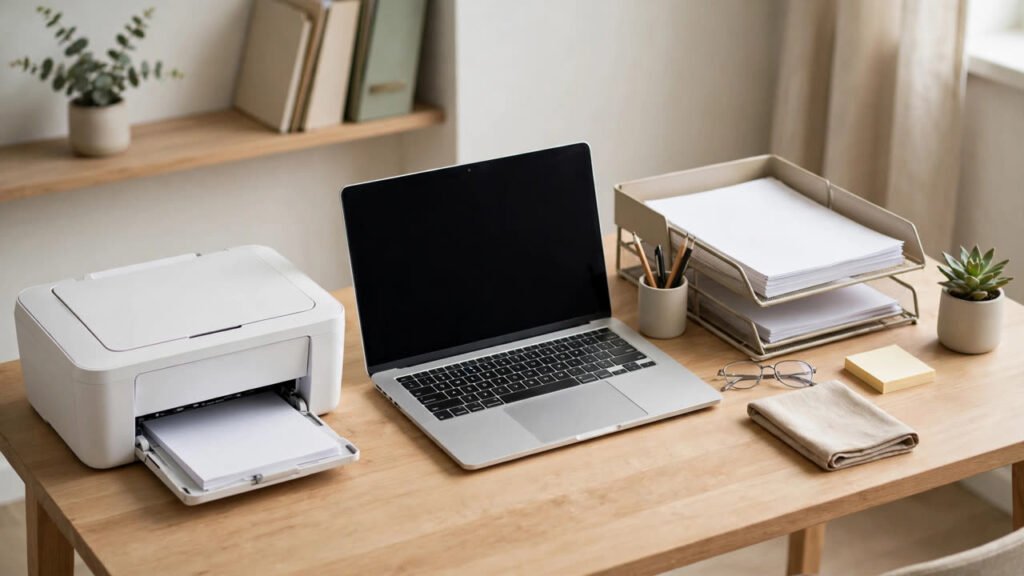
Photo Printer
A photo printer is built for one job: printing photographs that look as good on paper as they do on screen. It uses special photo paper and fine ink droplets to reproduce skin tones and colours better than a regular office printer. For family prints of weddings and birthdays, the difference is easy to see.
Print sizes are usually small, with most home photo printers handling 4×6 and A4 prints. That is fine for albums and framed photos, but not for large posters. Photo printers are also slower than office printers, because each print gets several passes of ink.
Running costs are the highest of any printer type in this guide. Photo paper and ink cost more per print than plain-paper printing, so it makes sense only if you print photos regularly. If you print a few photos a year, a print shop will be cheaper.
Look for a model with a memory card slot or phone printing, so you can print without a computer. Check the cost of paper and ink for your chosen size before buying, and store photo paper in a dry place away from dust.
- Pros: Excellent photo quality; true-to-life colours; direct printing from phones and memory cards; good for albums and portfolios.
- Cons: High cost per print; slow printing; limited paper sizes; not suited to everyday document printing.
Photo printers are typically around Rs 25,000–55,000 (check the seller for the current price).
Printer Price in Pakistan
Printer prices in Pakistan are typically around Rs 15,000–60,000 (check the seller for the current price), and where a model falls in that range depends on its type and features. Budget inkjet printers sit at the lower end, typically around Rs 15,000–25,000, while ink-tank printers cost more upfront at typically around Rs 30,000–55,000 but save money on every page. Monochrome laser printers are typically around Rs 30,000–60,000, all-in-one printers with Wi-Fi are typically around Rs 25,000–60,000, and photo printers are typically around Rs 25,000–55,000.
Prices move with the dollar rate, import duties and stock levels, so the same model can cost noticeably more or less from one month to the next. Branded models from established names usually cost more than lesser-known brands, but they come with better service networks and easier access to genuine ink and toner. Buying from Daraz, an official brand store or a known electronics market in Lahore or Karachi gives you a better chance of a genuine product with a valid warranty than an unknown seller with no shop address.
Buying Tips
- Work out the ink cost per page: The sticker price is only half the story. Divide the price of a cartridge or ink set by the pages it prints, and compare that figure across models.
- Check Wi-Fi and mobile printing: If more than one person will use the printer, pick a model with Wi-Fi and a mobile app so everyone can print from their phone.
- Match the duty cycle to your volume: Every printer has a recommended monthly page limit. A machine rated for 500 pages a month will wear out fast in an office printing 2,000.
- Choose cartridge or ink tank by volume: Light users can live with cartridges, but anyone printing daily will save real money with an ink-tank model.
- Confirm warranty and service in Pakistan: Ask who handles repairs in your city, how long the warranty lasts and whether it covers the print head before you pay.
- Check paper handling: Look at tray capacity, supported paper sizes and whether the printer handles thicker paper and envelopes without jamming.
Frequently Asked Questions
Which printer is best for students in Pakistan?
An ink-tank printer is usually the best choice for students, because assignments, notes and past papers add up to hundreds of pages a term and the cost per page stays very low. Pick a model with Wi-Fi so you can print from your phone, and buy genuine ink to keep the warranty valid.
Is a laser printer better than an inkjet printer for office use?
For offices printing mostly black-and-white text, a laser printer is usually better: it prints faster, toner never dries out, and the cost per page is lower. An inkjet wins only if your office needs regular colour printing for charts and presentations.
How much does a printer cost in Pakistan in 2026?
Printer prices in Pakistan are typically around Rs 15,000–60,000 (check the seller for the current price). Budget inkjets start near the bottom of that range, while ink-tank, laser and all-in-one models sit higher, so your budget should follow how much printing you do.
Do printers work during load-shedding?
Printers need mains power, so they stop during load-shedding unless you run them on a UPS or generator. A small UPS can carry a printer through a short outage, but check the UPS rating first, since laser printers draw more power at startup.
How do I keep my printer working well in a dusty home?
Keep the printer covered when it is not in use, close the paper tray, and print a test page at least once a week to keep the nozzles clear. Use clean, dry paper stored indoors, and get it serviced if prints show lines or faded patches.
Conclusion
The best printer in Pakistan in 2026 is the one that fits your printing volume, your budget and your space. Light home users will be happy with a budget inkjet, students and busy families will save the most with an ink-tank printer, offices should look at a monochrome laser, and anyone who wants photos will value a dedicated photo printer. Compare running costs, not just the price tag, and buy from a seller who offers a real warranty.
For more buying guides on the products Pakistanis are searching for, visit trendz.pk — the product feed brings together trending picks, price guides and practical advice in one place.