Best Smart TV Stick in Pakistan (2026): Price Guide & Buying Tips
If your old LED TV still works fine but feels outdated, the best smart TV stick in Pakistan can give it a second life without the cost of a new television. A smart TV stick is a small device that plugs into your TV’s HDMI port and adds streaming apps, voice search and a modern home screen. Prices for a smart TV stick in Pakistan are typically around Rs 5,000–18,000 (check the seller for the current price).
This guide covers the five types of TV sticks worth considering in 2026 and what to check before you spend your money. Every price here is an approximate range, because prices in Pakistan move with the dollar rate and sale seasons — always confirm the current price with the seller before you order.
Quick Picks
- Budget pick: A basic 1080p stick — the cheapest way to make any TV smart.
- 1080p pick: A full HD stick with a voice remote — the right choice for most homes.
- 4K pick: A 4K HDR stick — the one to buy if your TV is 43 inches or bigger.
- Gaming pick: A faster stick with controller support — built for casual gaming on the big screen.
- Premium pick: A top-end stick with the fastest chip and Dolby Vision.
Budget Smart TV Stick: The Cheapest Way to Go Smart
A budget smart TV stick does one job and does it well: it turns a basic LED or LCD TV into a smart TV. Plug it into an HDMI port, connect it to Wi-Fi, sign in to your apps and you are watching YouTube, dramas and cricket highlights within minutes.
This type suits a second TV, a hostel room, or a family that wants streaming on an older TV without spending much. Picture quality is usually 1080p full HD, which looks fine on screens up to 40 inches.
Wi-Fi is the one thing to get right: basic dual-band Wi-Fi is fine if your router sits in the same room. Power comes from a small USB adapter in a wall socket, and the stick uses so little power that a UPS keeps it running through load-shedding. Buy from Daraz or an official brand store, and ask for the warranty card.
- Pros: Very affordable; easy to set up in minutes; turns any HDMI TV smart; uses very little electricity.
- Cons: Can feel slow when switching between apps; basic remote on the cheapest models; limited storage for apps.
A budget smart TV stick is typically around Rs 5,000–7,000 (check the seller for the current price).
1080p Smart TV Stick: The Sensible Middle Ground
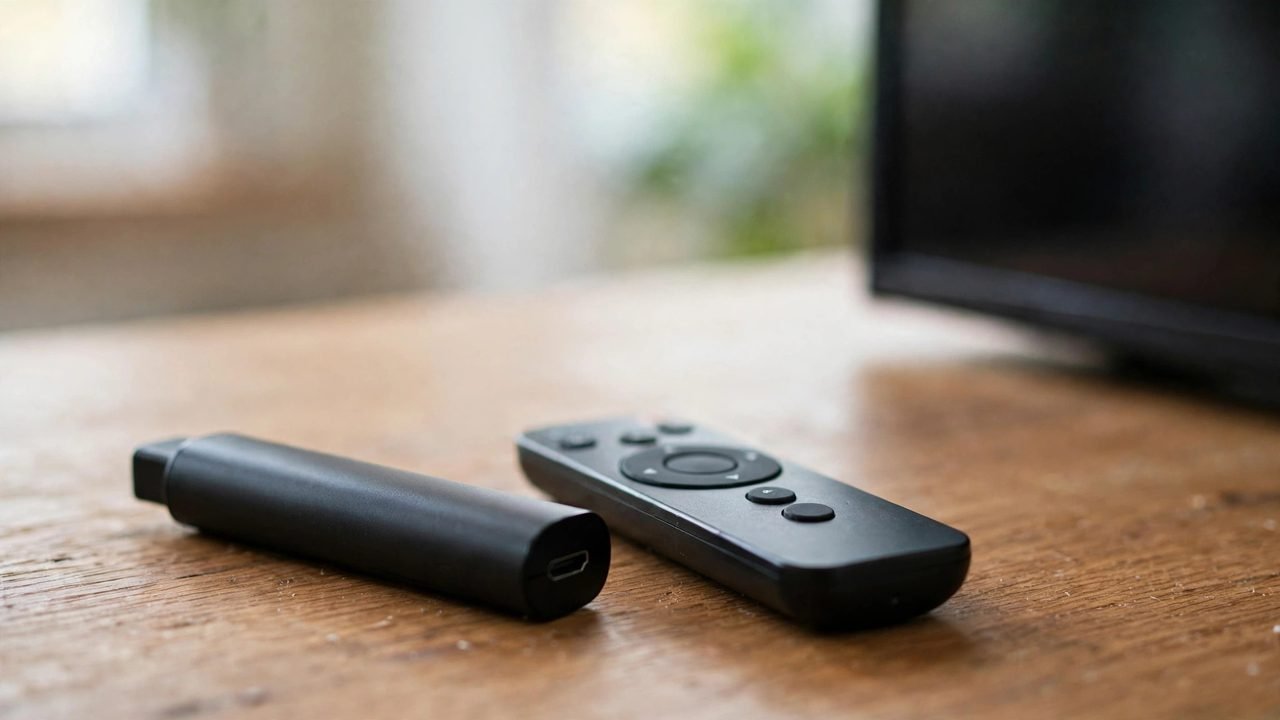
The 1080p smart TV stick is the sweet spot for most buyers in Pakistan. It costs a little more than the cheapest models, but apps open faster, menus feel smoother, and the remote usually includes voice search that works.
It suits homes with a standard LED TV and a family that watches dramas, YouTube, news and movies. Full HD picture is sharp on screens up to 43 inches, and storage is usually enough for your main apps plus a few extras.
Hold the mic button and say the name of a drama or a movie, and the stick searches across your apps. For a smooth 1080p stream you need roughly 8 to 10 Mbps — run a speed test on your phone near the TV before you buy. Official stores and authorised Daraz sellers usually offer a proper warranty; grey imports often come with no after-sales support.
- Pros: Smooth daily performance; voice remote included; dual-band Wi-Fi; good value for a main family TV.
- Cons: No 4K, so it will not use a 4K TV fully; storage still limited if you install many apps; voice search may struggle with some Urdu drama names.
A 1080p smart TV stick is typically around Rs 6,000–9,000 (check the seller for the current price).
4K Smart TV Stick: Sharp Picture for Bigger Screens
If your TV is 43 inches or bigger and supports 4K, a 4K smart TV stick makes the screen earn its price. True 4K video looks noticeably sharper, especially on documentaries, cricket matches and movies, and HDR improves contrast so night scenes stop looking flat.
This type suits anyone who has invested in a 4K TV, or plans to buy one soon. The processor is stronger than in cheaper models, so menus scroll smoothly and apps switch without a long pause.
Check your internet first: a stable 4K stream needs around 20 to 25 Mbps, or the picture simply falls back to HD. The stick runs warmer than basic models, so leave air around it behind the TV. Buy from an official store or an authorised Daraz seller and keep the warranty card safe.
- Pros: True 4K and HDR picture; faster processor and smoother menus; best match for a large 4K TV; voice remote with TV controls.
- Cons: Needs fast internet to show its full quality; costs noticeably more than a 1080p stick; runs warmer behind the TV.
A 4K smart TV stick is typically around Rs 9,000–14,000 (check the seller for the current price).
Gaming Smart TV Stick: For Casual Play on the Big Screen
A gaming smart TV stick is built for households where the TV is for play as well as dramas and movies. It pairs a stronger processor with support for a Bluetooth game controller, so you can play casual Android and cloud games on the big screen without buying a console.
It suits teenagers who game on their phones and want the same games on a bigger screen, and families who want one device for movies and evening gaming. The extra power also helps streaming: apps open quickly and 4K video plays smoothly.
Wi-Fi matters most here: online games need a stable, low-delay connection, so use the 5 GHz band with the router in the same room. Games take far more space than streaming apps, and you cannot add a memory card to most sticks. Buy from an official store or an authorised Daraz seller so the warranty is valid in Pakistan.
- Pros: Stronger processor for games and 4K video; Bluetooth controller support; doubles as a fast streaming stick; good fun for family game nights.
- Cons: Costs more than a plain streaming stick; needs good Wi-Fi for online play; game storage fills up fast.
A gaming smart TV stick is typically around Rs 10,000–16,000 (check the seller for the current price).
Premium Smart TV Stick: The Fastest, Smoothest Option
The premium smart TV stick is the one to buy when you want the best experience and do not want to think about the device again for years. It has the fastest processor in this guide, the most storage, Dolby Vision support, and a remote that often works hands-free.
It suits a main lounge TV the family uses for hours every day, and anyone who watches movies, sports, dramas and music on the big screen. It is also the right choice for a high-end TV with Dolby Vision, because cheaper sticks cannot pass those formats through.
Wi-Fi is the strongest available, which helps in larger homes where the router sits a room or two away, and software updates arrive regularly. Buy only from an official brand store or a verified authorised seller, check the seal on the box, and confirm the warranty card is stamped before you pay.
- Pros: Fastest performance and smoothest menus; Dolby Vision and best picture formats; hands-free voice control; longest software support.
- Cons: Highest price in this guide; overkill for a small or second TV; hands-free voice may pick up background chatter.
A premium smart TV stick is typically around Rs 13,000–18,000 (check the seller for the current price).
Smart TV Stick Price Guide in Pakistan
Prices depend on three things: picture quality, processing power and whether the stock is official or grey import. The ranges below are approximate guides — always confirm the current price with the seller before you order.
- Budget 1080p sticks: typically around Rs 5,000–7,000 (check the seller for the current price). Best for a second TV or a hostel room.
- Mid-range 1080p sticks: typically around Rs 6,000–9,000 (check the seller for the current price). The best value for most family TVs.
- 4K sticks: typically around Rs 9,000–14,000 (check the seller for the current price). Worth it only if your TV is 4K and your internet is fast enough.
- Gaming sticks: typically around Rs 10,000–16,000 (check the seller for the current price). You pay extra for the stronger chip and controller support.
- Premium sticks: typically around Rs 13,000–18,000 (check the seller for the current price). The fastest option, with the best picture formats.
Sale events on Daraz — such as 11.11, Black Friday and Eid sales — often bring official stock down for a few days, so waiting for a sale can save a useful amount. Grey imports usually look cheaper, but they often come without a warranty and may not get software updates. Check what is in the box too: a stick sold without its original remote or power adapter is not a bargain.
Buying Tips
- Check the HDMI port first. Any free HDMI port works, but use the port labelled ARC or 4K if your TV has one. If your TV has no HDMI port at all, a stick will not fit.
- Test your Wi-Fi speed at the TV. You need around 8 to 10 Mbps for smooth 1080p and around 20 to 25 Mbps for 4K.
- Insist on an official warranty. Ask for a stamped warranty card and a proper receipt. Official stores and authorised Daraz sellers provide this; grey import sellers usually do not.
- Avoid grey imports. A stick meant for another country may not support local apps, may not receive updates, and may come with a remote that lacks the buttons you need.
- Check the remote before you buy. A remote with voice search and TV power and volume buttons saves you from juggling two remotes every evening.
- Look at storage and memory. More storage means room for your apps and games without constant deleting.
- Power it from the wall, not the TV. Use the USB adapter in the box and plug it into a wall socket. Powering the stick from the TV’s USB port causes slow restarts.
- Confirm the apps you need. Check that the stick’s app store carries the streaming services you actually watch, including local Pakistani services.
- Check the return policy. Test the stick on the first day — Wi-Fi, picture, sound and the remote — so any fault shows up inside the return window.
Frequently Asked Questions
Do I need a smart TV to use a TV stick?
No. That is the whole point of a TV stick. It works with any TV that has a free HDMI port — an ordinary LED or LCD TV becomes smart once the stick is plugged in and connected to Wi-Fi.
How much internet speed do I need for a smart TV stick?
For smooth 1080p streaming you need around 8 to 10 Mbps of real speed at the TV. For 4K streaming you need around 20 to 25 Mbps.
Will a TV stick work during load-shedding?
Yes, as long as your TV and your Wi-Fi router have power. The stick itself uses very little electricity, so if your TV runs on a UPS, inverter or solar setup, the stick keeps working. Without backup power for the router, streaming pauses until the internet returns.
Can I use a TV stick with a very old TV?
If the TV has an HDMI port, yes. Most LED and LCD TVs sold in Pakistan in the last ten years have at least one HDMI port. Very old CRT televisions do not have HDMI, so a stick will not connect to them.
Is it better to buy a TV stick or a new smart TV?
Buy the stick if your current TV has a good picture and a working HDMI port — it costs a fraction of a new television. Buy a new smart TV only if your old TV’s picture is failing or you want a bigger 4K panel.
Conclusion
A smart TV stick is the simplest and cheapest way to bring a regular TV up to date in 2026. Pick the budget stick for a second TV, the 1080p model for the lounge, the 4K stick for a big screen, the gaming stick for play, or the premium model for the fastest experience — then check your Wi-Fi and buy official stock with a warranty. For more trending product guides from Pakistan, visit the product feed at trendz.pk.