Best SSD in Pakistan (2026): Price Guide & Buying Tips
If your laptop takes minutes to start or freezes when you open a few programs, the best SSD in Pakistan for your budget can change how the whole machine feels. An SSD replaces a spinning hard drive with fast flash storage, so Windows boots quicker, files open without long waits, and games load in seconds. Buyers in Pakistan can choose from basic SATA drives for older laptops to fast NVMe models for gaming PCs and content work. This guide explains the types in simple words and gives honest rupee price ranges.
Quick Picks: Best SSD in Pakistan at a Glance
- Old laptop rescue: 240–256GB SATA SSD — the cheapest way to make a slow laptop usable again.
- Best value for most users: 512GB NVMe Gen3 SSD — fast, with room for Windows, apps, and daily files.
- Gaming PCs: 1TB NVMe Gen4 SSD — quick loading and space for a game library.
- Creators: 2TB NVMe SSD — for video editors, designers, and large project files.
- Files on the move: Portable SSD — small, tough, and far faster than a USB flash drive.
SSD prices in Pakistan are typically around Rs 6,000–55,000 (check the seller for the current price), depending on capacity and type. Check what your laptop or PC supports before you order.
SATA vs NVMe: What Pakistani Buyers Should Know
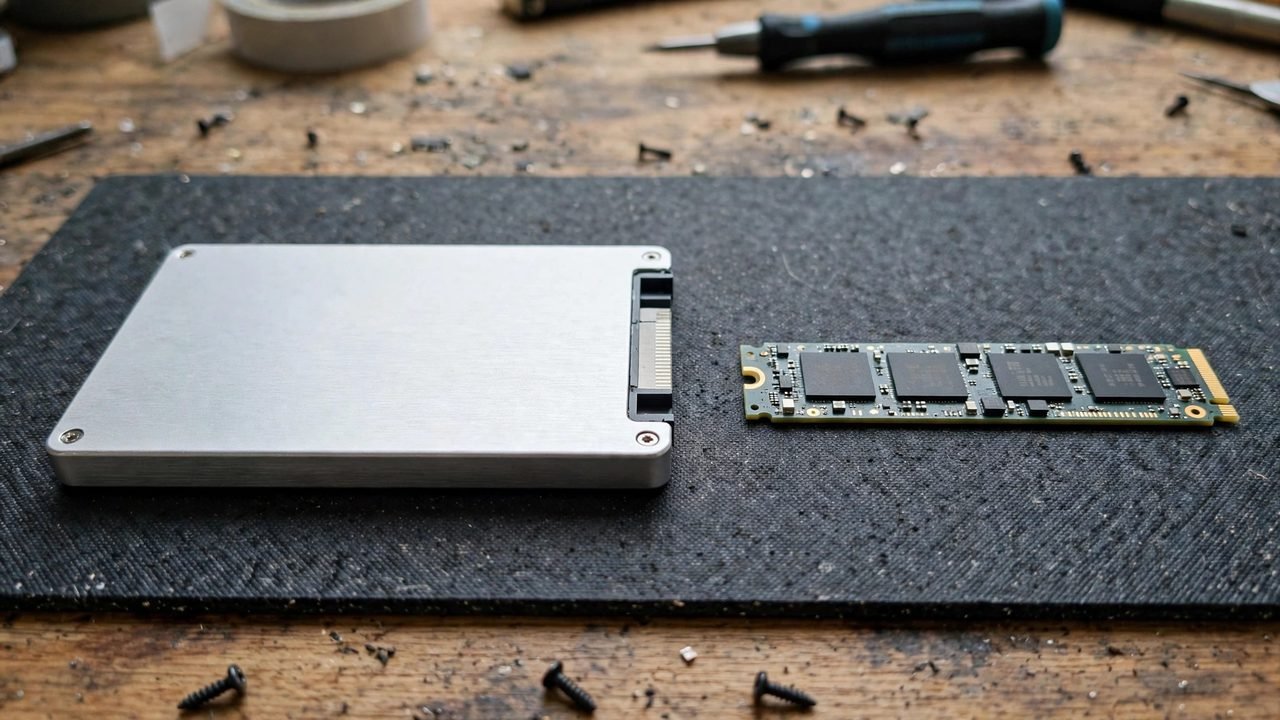
SATA SSDs use the older hard-drive connection. In laptops they usually look like a slim 2.5-inch drive, or sometimes a stick shape called M.2 SATA. SATA speed tops out at around 550 MB/s in real use. That still feels much faster than a hard drive, so SATA suits older machines.
NVMe SSDs use the PCIe connection and come in the small M.2 stick shape. Gen3 models are roughly three to six times faster than SATA on paper, and Gen4 models go faster still. The jump from SATA to NVMe is clear with large files and heavy games. The jump from Gen3 to Gen4 matters less for office work, but gamers and editors notice it more.
An M.2 slot does not always mean NVMe support. Some older laptops accept only M.2 SATA, newer models accept NVMe, and some accept both. Check your exact model specifications before buying. A Gen4 drive works in a Gen3 slot but runs at Gen3 speed, so Gen4 only pays off with a Gen4 board.
DRAM is a small cache chip that helps keep speed steady during long file copies. DRAM-less drives cost less and suit normal laptop use, but can slow down during very large transfers. TBW means terabytes written — how much data the drive is rated to handle over its life. A branded SSD will usually outlast the laptop. Warranty matters more: look for a sealed pack with a local warranty card.
1. 240–256GB SATA SSD for Old Laptops
This is the classic rescue upgrade. Many homes and small offices in Pakistan still run older laptops with slow hard drives. A 240–256GB SATA SSD makes Windows start fast, removes long pauses when opening Word or a browser, and gives the machine a few more useful years. It suits Windows, office apps, and modest files.
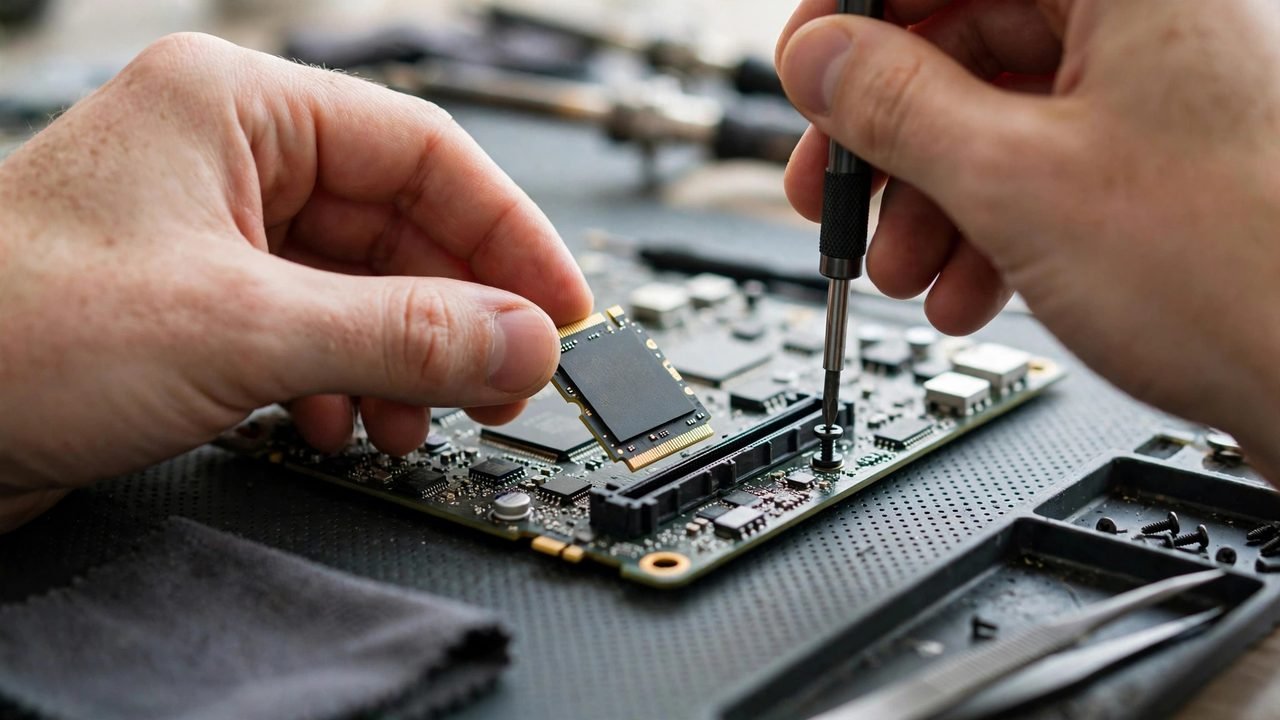
Choose this type if your laptop has a 2.5-inch bay or an M.2 SATA slot. Back up your files first, then clone Windows or install it fresh. Local computer shops can do the swap for a small service fee if you prefer not to open the laptop yourself. Keep large media collections on an external drive if space runs short.
Pros:
- Lowest-cost upgrade with a big visible speed gain
- Works in most older laptops and desktops
- Low power use, which helps battery life a little
- Easy to find in local computer markets
Cons:
- Limited space for games and large media files
- Slower than NVMe for big file transfers
- Some very old laptops may need a fresh Windows install
Prices for 240–256GB SATA SSDs in Pakistan are typically around Rs 6,000–9,000 (check the seller for the current price).
2. 512GB NVMe Gen3 SSD for Everyday Use
For most buyers, a 512GB NVMe Gen3 SSD is the balanced choice. It gives fast boot times, quick app launches, and enough room for Windows, work software, photos, and a few games. Most users rarely need more unless they keep large video files.
Check that your laptop or motherboard has an M.2 NVMe slot in the common 2280 size. Some thin laptops use shorter sizes, so confirm from the manual or existing drive before ordering. Gen3 speed is already far beyond SATA, and with a fixed budget the saving over Gen4 is often better spent on capacity.
Pros:
- Strong speed for daily work and light gaming
- Good capacity for most laptops and desktops
- Usually better value per gigabyte than small drives
- Fits most modern laptops with an NVMe slot
Cons:
- Heavy gamers may fill it quickly
- Gen4 drives are faster for very large transfers
- DRAM-less models can slow during long copies
Prices for 512GB NVMe SSDs in Pakistan are typically around Rs 11,000–16,000 (check the seller for the current price).
3. 1TB NVMe Gen4 SSD for Gaming
Gamers building or upgrading a PC should look at a 1TB NVMe Gen4 SSD. Modern games are large, and 1TB holds Windows plus a healthy game library without constant deleting. Gen4 speed helps with game loading, level changes, and large updates. It also suits recording gameplay on the same machine.
Gen4 drives run warmer under heavy loads, and many motherboards include a heatsink plate for the M.2 slot — use it if provided. The same advice applies to console-style use, such as a PS5, where a heatsink model is safer because the slot is enclosed. On a Gen4-ready board, this capacity is the sweet spot between speed, space, and cost.
Pros:
- Fast loading for large modern games
- 1TB suits a growing game library
- Good for gaming plus recording or streaming
- Works in Gen3 slots too, at Gen3 speed
Cons:
- Costs more than Gen3 for a smaller daily gain
- Needs a heatsink in tight or enclosed slots
- Full Gen4 speed needs a Gen4 motherboard
Prices for 1TB NVMe SSDs in Pakistan are typically around Rs 20,000–30,000 (check the seller for the current price).
4. 2TB NVMe SSD for Creators
Video editors, 3D artists, photographers with large RAW libraries, and developers running several virtual machines benefit most from a 2TB NVMe SSD. Large projects open faster and need less moving to external drives. Steady speed during long writes matters here, so a model with DRAM cache and a strong TBW rating is worth considering.
If your projects already live on external drives, 1TB may be enough. If you edit directly from the main drive and keep several projects active, 2TB saves daily hassle. Keep a separate backup regardless of capacity — an SSD is storage, not a backup by itself.
Pros:
- Room for large projects and media libraries
- Fast access to big files and timelines
- Fewer external drives needed day to day
- Suits editing, design, and development work
Cons:
- Highest cost among internal options
- Overkill for basic office and browsing use
- Still needs a separate backup routine
Prices for 2TB NVMe SSDs in Pakistan are typically around Rs 38,000–55,000 (check the seller for the current price).
5. Portable External SSD for Files on the Move
A portable SSD is the modern way to carry files between home, office, and university. It connects by USB-C or USB-A, fits in a pocket, and copies files far faster than a USB flash drive. With no moving parts, it handles bumps better than a portable hard drive. Students and photographers will feel the difference at once.
Check that the cable and port match your devices. Many models include both USB-C and USB-A cables, which helps between a new laptop and an older desktop. For phone transfers, confirm your phone supports USB-C storage first. Buy a sealed branded unit with warranty rather than an unbranded copy.
Pros:
- Fast copies compared with USB flash drives
- Small, light, and resistant to everyday knocks
- Works across laptops and desktops with the right cable
- Handy as a quick backup for important folders
Cons:
- Costs more per gigabyte than internal SSDs
- Easy to lose because of the small size
- Speed depends on your USB port generation
Prices for portable SSDs in Pakistan are typically around Rs 15,000–35,000 (check the seller for the current price).
SSD Price in Pakistan: What to Expect in 2026
SSD prices in Pakistan are typically around Rs 6,000–55,000 (check the seller for the current price), driven by capacity, connection type, and warranty length. Small SATA drives sit at the bottom and remain the cheapest way to revive an old laptop. NVMe models cost more per gigabyte but deliver much higher speed. Gen4 usually costs more than Gen3, and DRAM models sit above basic options.
Prices shift with exchange rates and stock, so treat these figures as planning ranges, not fixed quotes. Compare at least two reputable sellers and confirm the warranty card, sealed packaging, and return terms before paying. A fair price with a seller who honours warranty claims beats a small saving with no local support.
Buying Tips for the Best SSD in Pakistan
- Confirm the slot first: Check for 2.5-inch SATA, M.2 SATA, or M.2 NVMe, and note the M.2 size (2280 is most common).
- Match the generation: Buy Gen4 only with a Gen4 motherboard, or when the price gap to Gen3 is small.
- Leave headroom: Keep at least 20 percent free space so the drive stays fast and updates have room.
- Ask about warranty: Prefer a sealed pack with a local warranty card and a clear claim process.
- Plan the Windows move: Back up first, then clone the old drive or install Windows fresh.
- Watch for fakes: Avoid unbranded drives with unrealistic capacity claims. Buy sealed stock from reputable Pakistani computer markets or online stores.
- Mind the heat: Use the motherboard heatsink where provided, and pick a heatsink model for enclosed slots such as a PS5 bay.
- Keep a backup: Store important files in a second place too, on an external drive or in cloud storage.
FAQ
Will an SSD make my old laptop faster?
Yes, in most cases the change is easy to notice. Boot time drops, programs open sooner, and hard-drive pauses largely disappear. An SSD cannot fix a weak processor or very low RAM, but it usually helps an old laptop most.
Should I buy SATA or NVMe for my laptop?
Buy what your laptop supports. With an NVMe slot, choose NVMe for the higher speed. With SATA only, a SATA SSD still gives a large improvement over a hard drive. Checking your exact model specifications first prevents buying the wrong type.
How much SSD capacity do I need?
For Windows, office work, and browsing, 512GB suits most users. Gamers and creators should consider 1TB or 2TB because games and project files are large. A 240–256GB drive suits a basic laptop but fills quickly with many photos or videos.
Can I move Windows to the new SSD without reinstalling?
Yes. Cloning software can copy your Windows setup to the new drive, after which you set the SSD as the boot drive. Back up files before cloning and keep the old drive until the new one starts correctly. A fresh install also works if your setup has problems.
How do I avoid a fake SSD in Pakistan?
Buy a sealed, branded drive with a local warranty card from a reputable seller, and check that the label matches the box. Avoid unbranded drives offering very high capacity at unusually low prices. After installing, confirm the capacity in Windows and run a quick speed check.
Conclusion
The best SSD in Pakistan for you fits your machine, your files, and your budget — a small SATA drive can rescue an old laptop, while NVMe models serve gamers and creators who need speed and space. Confirm your slot type and buy sealed stock with warranty. For more guides and the latest trending products in Pakistan, visit Trendz.pk before you spend.